Changelog

Follow new updates and improvements to Typa.

🚀 Join content calls on your phone, straight from Slack 📞
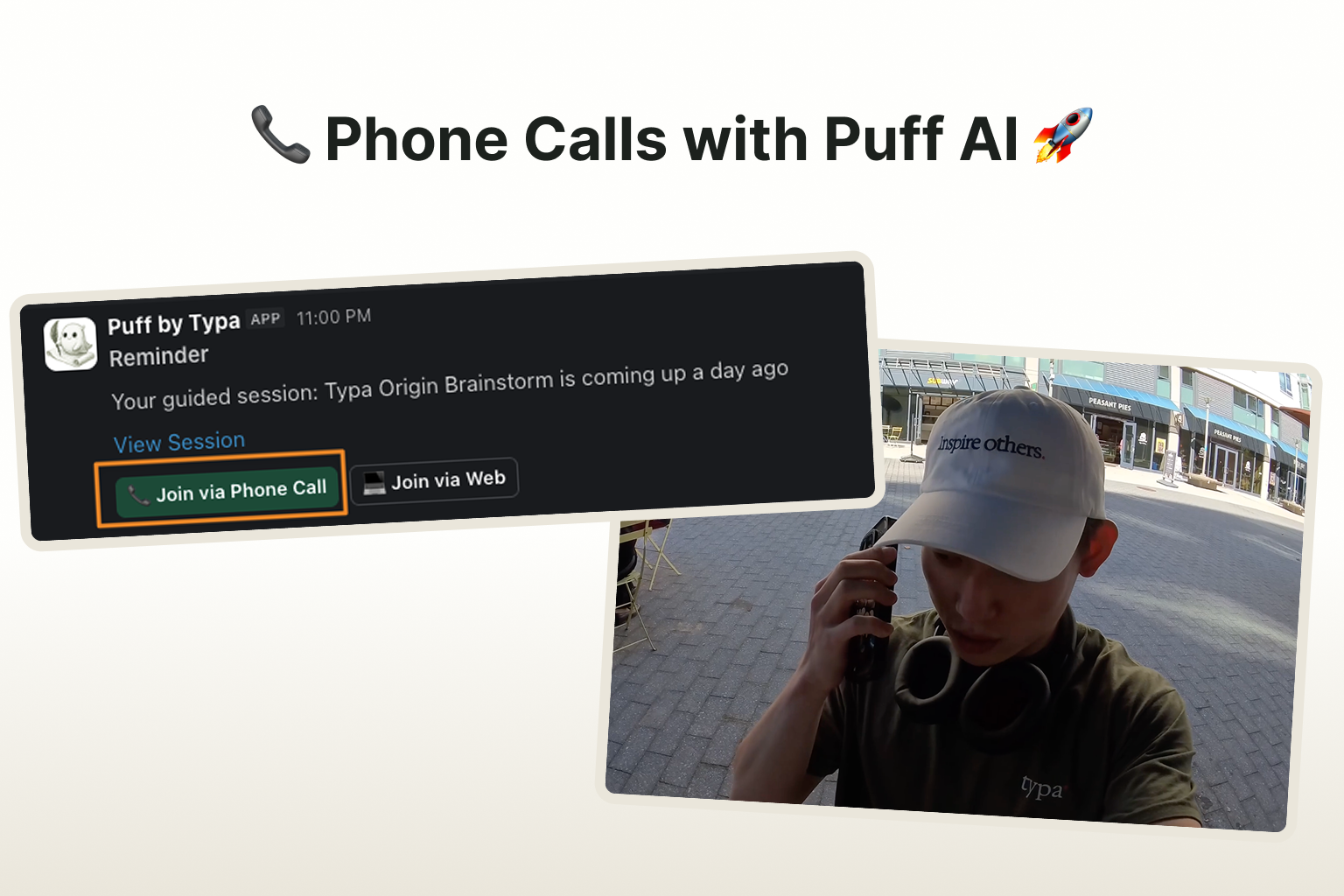
You can now join content sessions with Puff straight from Slack.

In the session, Puff will ask you questions relevant with the following week's post topics. You can jump on the call whenever you feel like it and even on the go! Each call will take around 10~15 minutes.

To enable this feature, please take 1 minute to configure the following:

  1. Connect your personal Slack account with Typa here: link

  1. Add a phone number to your Typa account

  1. When we have a session prepared, Puff will send you a Slack DM. Click on the "Join via Phone Call" button, and Puff will call you in under a minute.

---

If you're curious to learn more, feel free to check out

👉 LinkedIn Post: link

👉 X Post: link

👉 Youtube Vid: link
New

🚀 New in Typa: Recurring Content Calls

Content creation just got way easier.

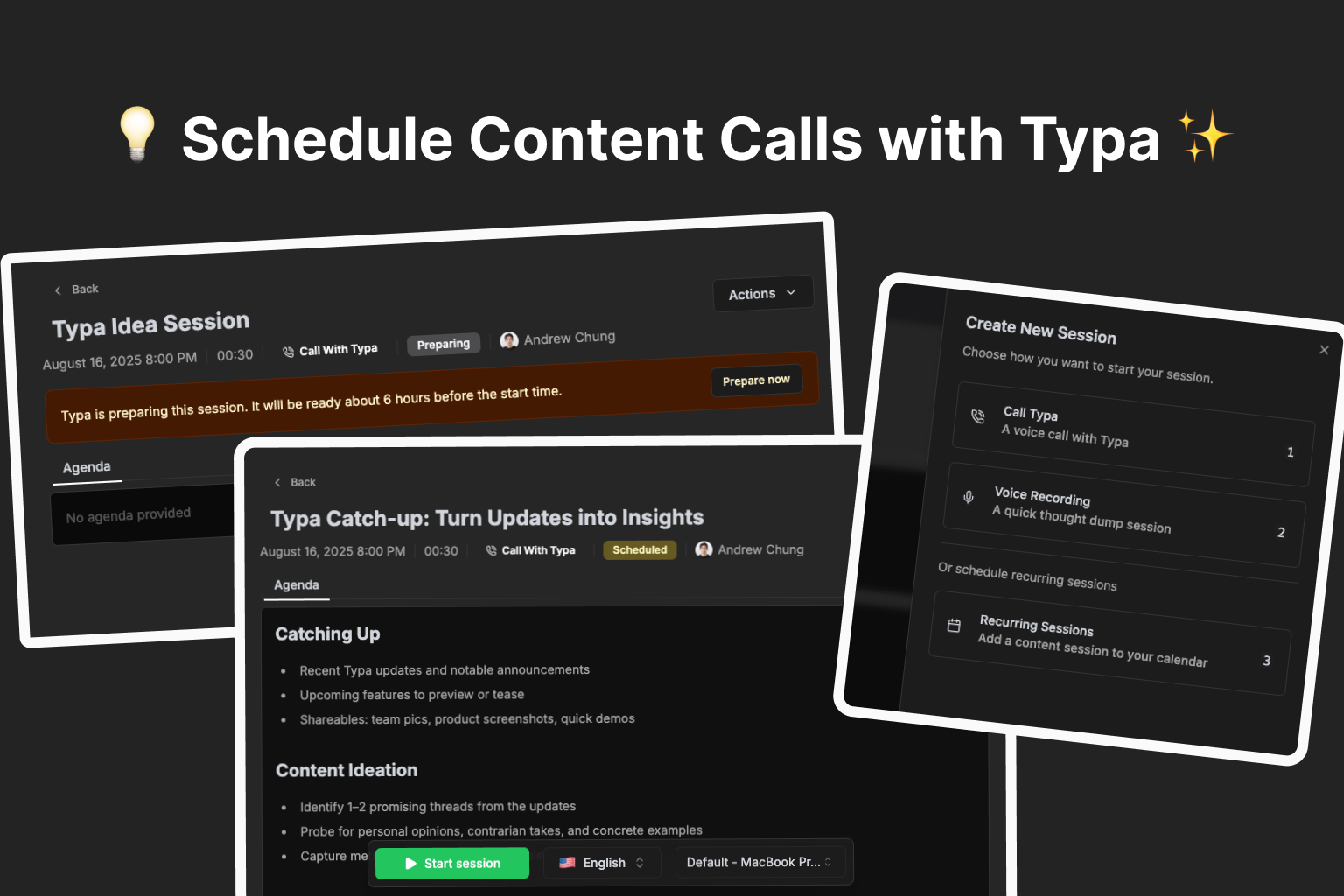
You can now schedule recurring content calls with Typa — and let us do the heavy lifting. ✨

📅 Never run out of ideas again

Set a schedule and tell Typa what you want to talk about — trending topics, personal stories, or industry insights.

Before each call, Typa will:

  • Review your recent posts

  • Research fresh trends in your niche

  • Craft a personalized agenda

🎥 See how you can set up a recurring content session


🎙 Talk, we’ll turn it into content

Hop on a call (or record a quick voice note) and share your thoughts naturally.

In just minutes after the call, Typa transforms your ideas into ready-to-post content.

🎥 Watch a real content call in action—from conversation to post ideas


⏱ Always ready when you are

Every 15 minutes, Typa checks your schedule and preps for the next session.

Want to start early? Hit Prepare now and Typa will be ready in about a minute.


Why you’ll love it:

✅ Stay consistent without the stress

✅ Always have something relevant to say

✅ Turn conversations into post ideas in minutes

New

Improved Post Editing & Scheduling Experience

We made posting more easier and efficient. (and fixed a ton of bugs º🐛)

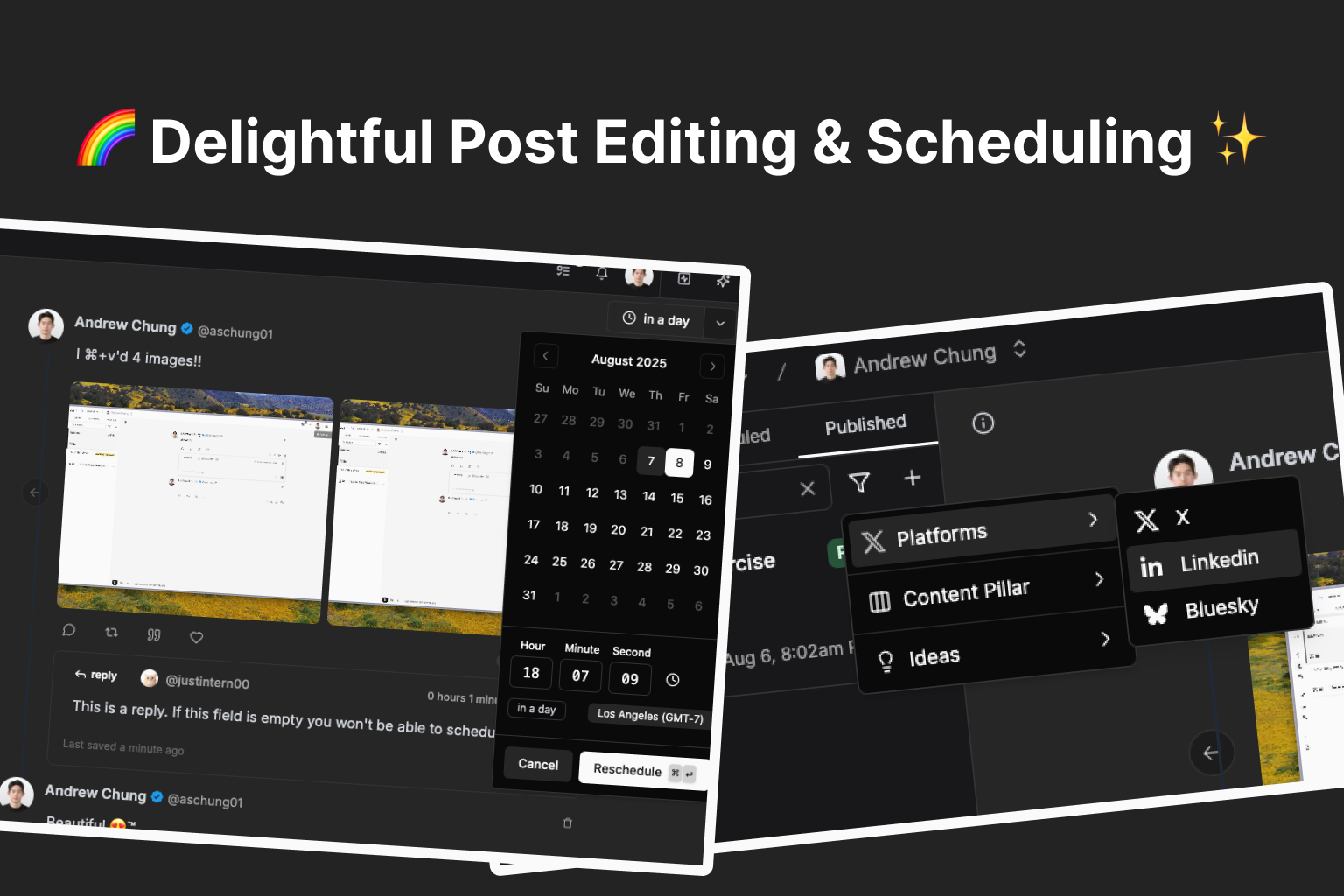
Improved scheduling UI & added rescheduling support

We revamped the post scheduling UI and added support for rescheduling posts.

  • We moved the datetime picker into a popover that opens when clicking on the Schedule button.

  • Now you can reschedule posts without unscheduling them first!

    Once a post is scheduled, we display the relative time when it’ll be posted on top right button. Click on it and you’ll see the datetime picker popover, where you can update the time and reschedule.

Added filters to posts sidebar, improved search

  • We added filters to the posts sidebar! You can filter posts by platform, content pillar, and post idea.

  • We improved search performance, — now you can search based on post title, content pillar, and post content.

Improved auto-interaction editor UI

Content validation before scheduling

We added validation logic to ensure whether mentions are properly formatted for each platform, and if all auto-interactions has valid content. The schedule button will be disabled when invalid content is detected.

We fixed a small bug where auto-interactions weren’t being deleted when the parent thread was deleted.

Other minor bug fixes & improvements

  • You can now attach media to posts by just pasting (

    ⌘+v) image/videos into the post editor!

  • When you try to attach media over the platform’s supported limit or unsupported media types, we block it and show you an error toast.

  • We fixed a bug where media uploaded to posts didn’t show properly before refreshing.

Improved

Earlier updates